 Présidentielle 2027arrow_right



Event Camera Rental for Live Streaming
Event video camera hire lets you capture, record or broadcast an event live. It covers conferences, panel discussions, product launches, video sets, general meetings, training sessions, trade shows, corporate shows and hybrid events. The camera then becomes a video source in its own right: it can feed a screen in the room, an LED wall, a control desk, a recording or a live streaming platform.
The value of an event camera is that it makes speakers visible, even when the audience is far away or the room is large. In a plenary session, it allows a close-up of the speaker to be shown on a giant screen. On a panel, it makes it easier to switch between several participants. For a hybrid event, it becomes essential for transmitting a usable image to remote participants. The choice of equipment therefore depends on the type of shot required, the distance from the subject, the lighting, the sound, the control set-up and the expected level of quality.
Filming contexts:
- Conference, convention, general meeting or seminar
- Panel discussion with several speakers
- Product launch, demonstration or brand set
- Broadcast to a screen in the room or a stage monitor
- Video recording for archives, communication or replay
- Live streaming with a control desk and a suitable connection
Technical points to define:
- Number of cameras: fixed shot, wide shot, close-up or multi-camera
- Positioning: facing the stage, side, back of the room or on set
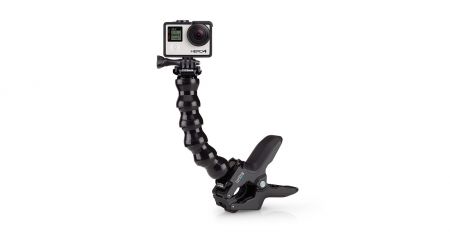
- Requirements for tripod, lens, power supply and secured cabling
- Link with the video mixing or the control desk
- HDMI and SDI compatibility and any need for video converters
- Lighting of the subject and coordination with the sound system
For reliable filming, the camera must be planned together with the display screens, sources, monitors, splitters and video accessories. An installation tested in advance guarantees a stable, legible and usable image for the whole duration of the event.
When should I hire an event camera?
Hire a camera to film a conference, show a speaker on screen, record a panel discussion or feed a live stream.
How many cameras do I need?
One camera is enough for a fixed shot. Two or three cameras add rhythm for a panel discussion, a stage or more dynamic coverage.
Does the camera need to be connected to a control desk?
Yes, if you want to mix several sources, send the image to a giant screen, record cleanly or broadcast live.
Do I need to plan lighting?
Yes, as soon as the subject is poorly lit or the result needs to look professional. A good image depends as much on the light as on the camera.
Does filming necessarily include streaming?
No. The camera can be used to record or to feed a screen in the room. Streaming requires a specific configuration with a control desk, an internet connection and a broadcasting platform.